Allow fixed services
Map named targets like a local HTTP API so clients can't reach arbitrary ports.
Prerelease SDK, MIT licence
Link iOS, Android, macOS, and Windows apps to local services on a paired host. Ship transport alone or add native views; users pick private networks or self-hosted relays.
Prerelease SDK with no managed relay. Your host must stay awake and online.
Your host serves the data and controls access.
Selected host
Private network / VPN
Granted service
iOS 18+, macOS 15+, Android API 26+, Windows x64 .NET 10
Source-built Rust core over a C ABI
Transport and UI packaged separately
Architecture
Clients verify a pinned host with SPAKE2 and Noise before sending API streams or app-encoded media.
Private or VPN routes cut exposure and send media over Noise-delegated, short-lived QUIC datagrams.
Self-hosting guideNative modules
Optional UI views match your theme for pairing, switching hosts, offline states, and removing devices.
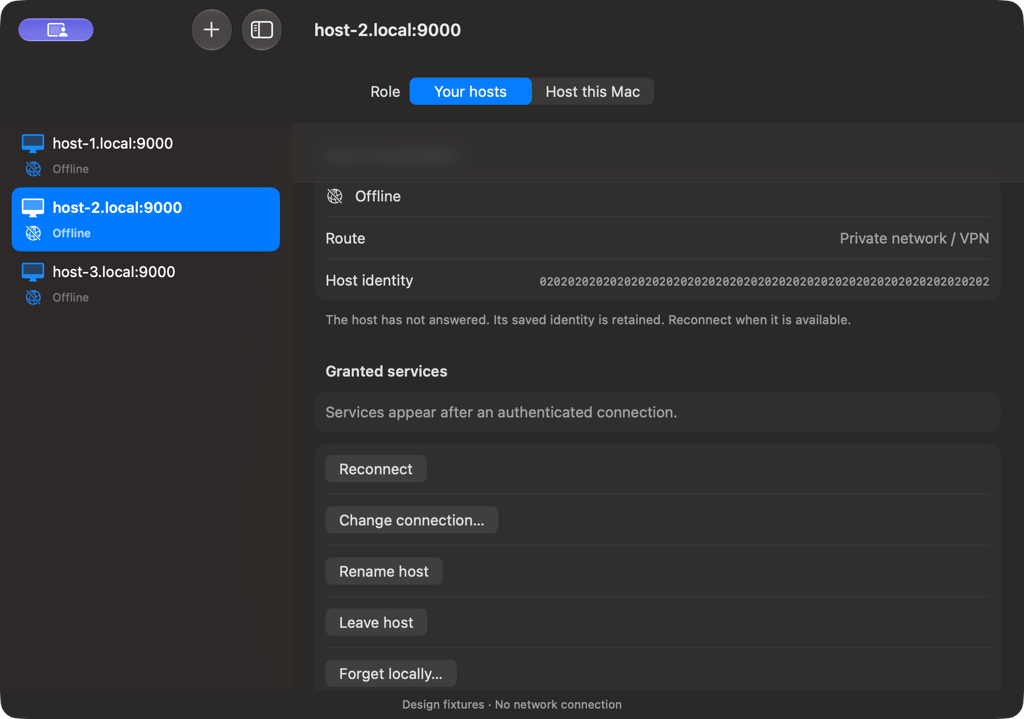
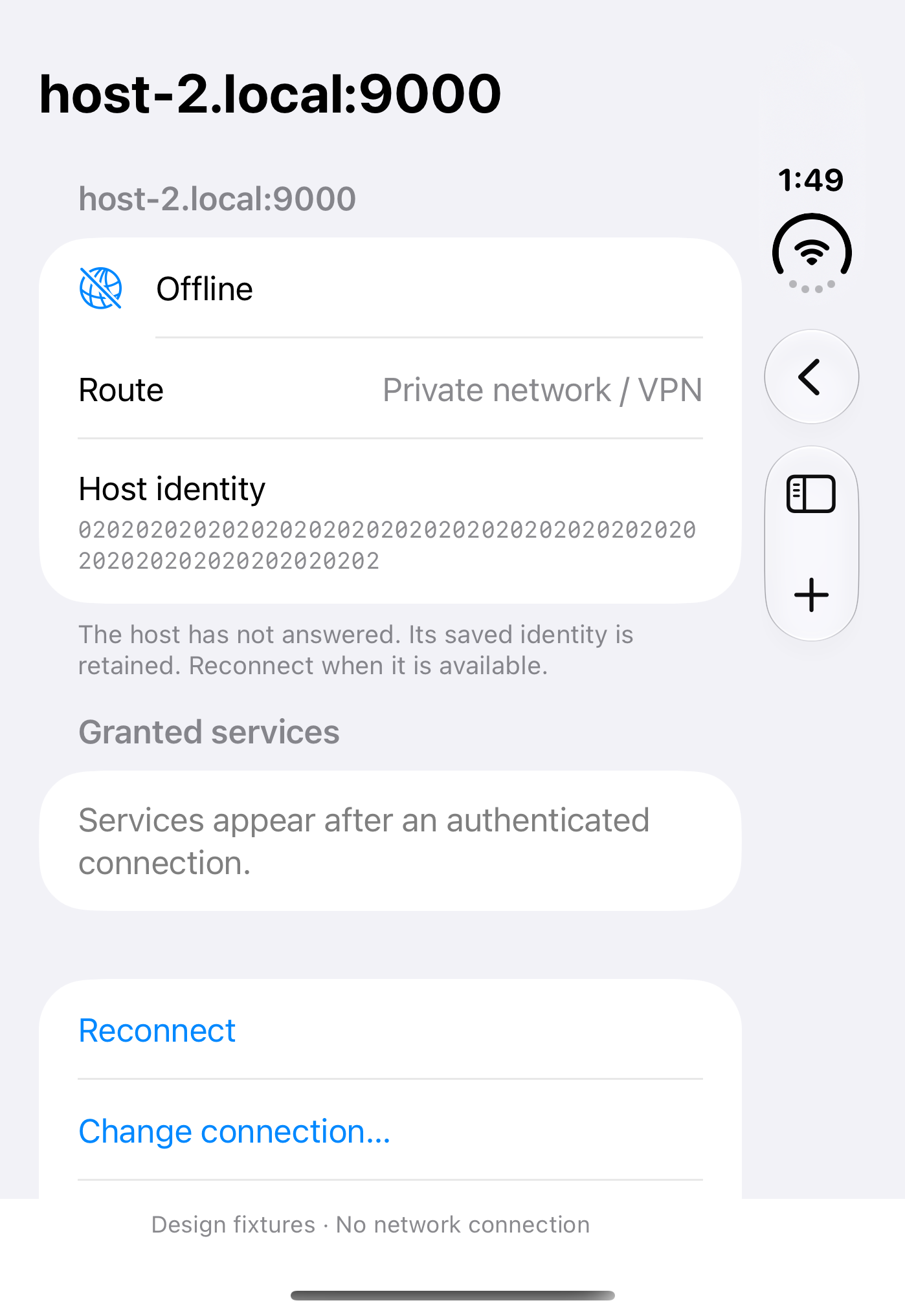
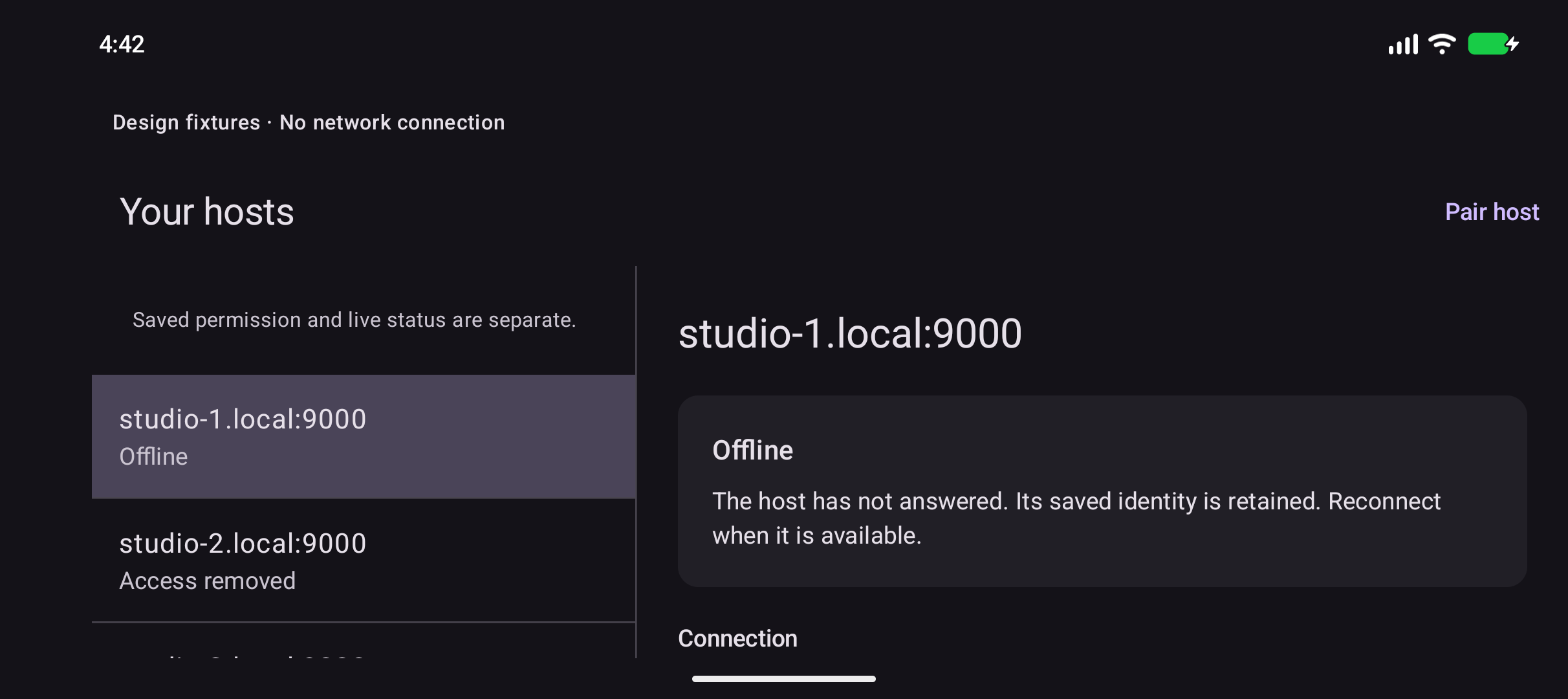
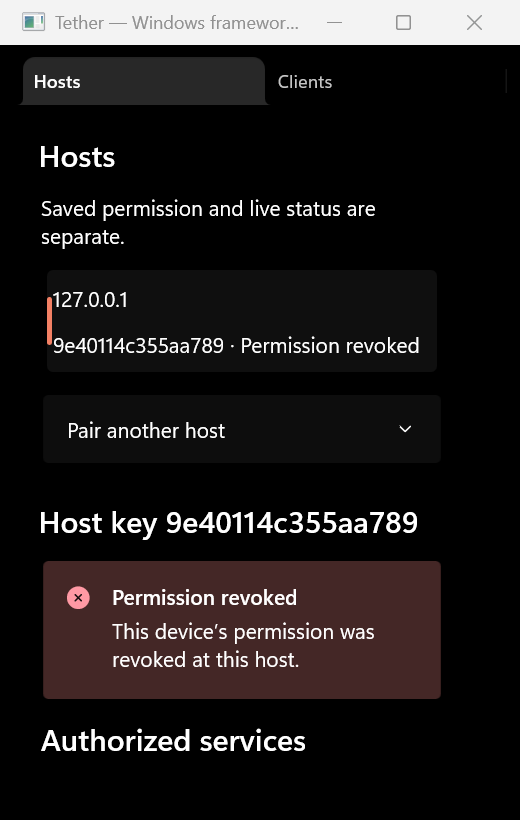
Native SDK fixture captures with synthetic hosts. These illustrate interface layout, not a live network connection. Capture context and limits
Swift host and client on Apple Silicon and Intel, with optional SwiftUI views you can embed in AppKit.
Client on arm64 devices and Apple Silicon simulators, with optional SwiftUI views you can embed in UIKit.
Kotlin library over JNI with optional Material 3 views; QR scanning stays a callback.
Host and client via .NET packages, with optional WinUI controls for existing windows.
How it works
Map named targets like a local HTTP API so clients can't reach arbitrary ports.
Open a temporary host invite and scan or enter it to pin both app-specific identities.
Send API streams or media via VPN or containerised relay; route changes re-verify the host.
Start building
Use the integration docs to add TetherKit from GitHub, embed packages/android, or add the Windows NuGets from Releases. Create TetherClient with your app ID, hold TetherConnectionStore for your scene, ViewModel, or window, and close on teardown.
Your app handles signing, Keychain groups, and Apple export-compliance updates when linking Noise.
.package(
  url: "https://github.com/fledgeling-co/tether.git",
  from: "0.1.0-preview.1"
)

let client = try TetherClient(
  appID: "com.example.companion"
)
let connections = try TetherConnectionStore(client: client)
TetherWorkspaceView(store: connections)

// When the scene stops monitoring: connections.stopMonitoring()// Embed packages/android modules in your build.
val client = TetherClient(
context.applicationContext, "com.example.companion"
)
val connections = TetherConnectionStore(client)
// Inside your MaterialTheme:
TetherWorkspace(store = connections)
// In ViewModel.onCleared(): connections.close()// Packages: Fledgeling.Tether.Windows + Fledgeling.Tether.WinUI
var client = new TetherClient(
"com.example.companion"
);
var connections = new TetherConnectionStore(client);
window.Content = new TetherClientView(connections);
// On window close: await connections.DisposeAsync();
// Then client.Dispose();Open source
Public source and platform integration docs live on GitHub with CI checks. The cryptography and lifecycle code haven't had a professional audit, and prerelease APIs may change.
Before you build
No. You self-host the containerised relay where persistent connections work, unlike serverless Vercel Functions.
Connections stop until it wakes. The relay doesn't hold an offline copy, inbox, or queued writes.
Not professionally. CI and local fixtures check pairing, allowed services, revoked clients, and tampered storage.
No. Transport ships without UI dependencies on every platform, so you can build custom controls.
Owners open a temporary host invite that clients enter or scan to pin app-specific identities. Clients only reach fixed local services, and the host can revoke access.
No. Your app owns capture permissions and encoding, sending bounded packets over QUIC datagrams or relay WebSockets.
Read the platform integration docs, check the security boundaries, and pair with a local service.